


If you want to change the sound and look of an Android phone without collecting separate tools for every small task, Ringtones & Wallpapers - Mob24 is a practical place to begin. I found its appeal in the combination: one personalization app for ringtones, wallpapers, live wallpapers, and a ringtone maker, rather than a single-purpose soundboard or wallpaper browser. It is free, aimed at Teen users, and developed by Mobiles24.
My first impression was that this is best understood as a discovery and customization app, not as a complete replacement for every setting built into Android. You browse for something that suits your phone, preview it, and then decide whether to use it as part of your everyday setup. That sounds simple, but the useful detail is knowing what you want to change before you start: the general ringtone, a notification sound, an alarm, the home screen, or the lock screen. A little preparation makes the first session much less confusing.
What to expect before choosing a sound or wallpaper
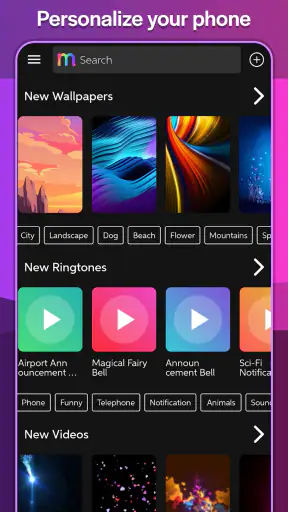
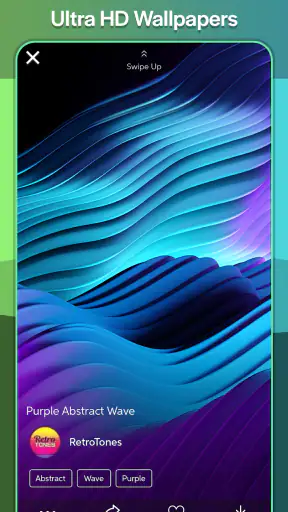
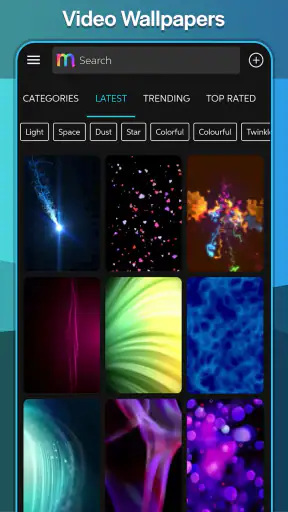
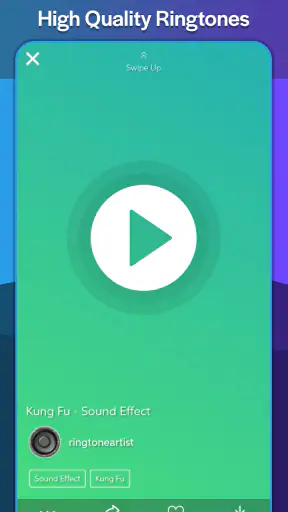
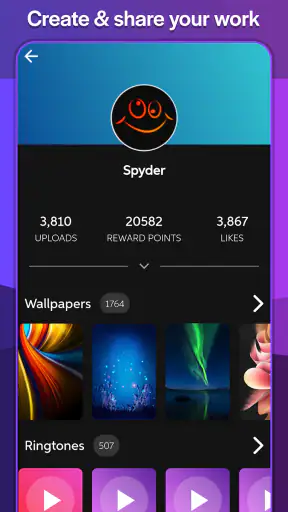
The app belongs to the personalization category, so its main job is helping you make a device feel more like yours. Its store summary highlights ringtones, static wallpapers, live wallpapers, and a ringtone maker. In practice, that gives it a wider scope than an app that only offers downloadable tones. I like that range because it lets me work on sound and appearance in the same session, especially when setting up a new phone.
The catalog has enough public traction to make it feel like an established option: it has passed one million installs and holds a 4.5 average from around eleven thousand ratings. Those figures do not guarantee that every item will match your taste, but they suggest that the basic idea has worked for a substantial Android audience. The app is free, which lowers the barrier to trying it, although free personalization apps still require patience because browsing is often more important than finding the perfect result immediately.
I would not install it expecting a professional audio editor or a full graphic-design suite. The ringtone maker is useful for turning a suitable piece of audio into a phone sound, but this is not the kind of tool I would choose for detailed music production. Likewise, the wallpaper side is about quickly finding and applying visual options, not building a custom artwork project from scratch. That distinction matters: the app is strongest when convenience is more important than fine control.
Decide on the result before opening the catalog
For a first visit, I recommend choosing one modest goal. A good example is replacing the default ringtone with something recognizable but not distracting. Another is finding a darker background that makes icons easier to see. Starting with one result gives you a clear way to judge the app, instead of scrolling through every available category and forgetting what you originally wanted.
There is also a practical reason to separate these jobs. A ringtone must work in a noisy room and be easy to identify, while a wallpaper has to remain readable behind icons and widgets. A sound that seems amusing during a quiet preview may become irritating after a full day of calls. I treat previews as a screening step, not as proof that an item belongs on my phone permanently.
What the app is like for a first-time Android user
Because the app is designed for Android personalization, the exact final behavior can depend on the phone’s own sound and display settings. After selecting a tone or image, I still check the relevant Android setting to make sure the intended choice is active. This is especially sensible if the phone uses separate controls for calls, notifications, alarms, and media. The app can help you find or prepare the content, while Android remains the place where the device’s behavior is ultimately managed.
The current version is 3.1.0 and it supports Android 5.0 or later. That broad minimum requirement makes it suitable for many older Android devices as well as newer ones. If you are using an older phone, I would keep expectations realistic about live wallpapers: even when an option is available, a simpler static image may be the better everyday choice for responsiveness and battery comfort.
From installation to the first meaningful success
Start with a ringtone you can recognize
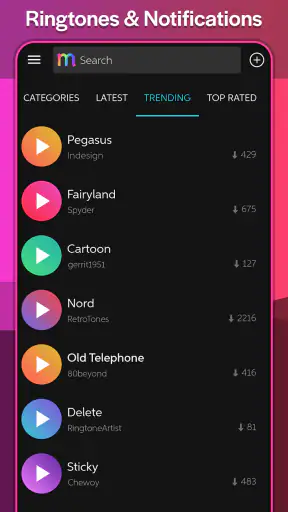
After installing, I would begin with the ringtone area rather than the live wallpaper section. Sound gives you the quickest clear result: choose an item, listen to it, and decide whether it is pleasant and distinctive. I avoid tones that begin too quietly or have a long buildup, because a call can be missed before the sound becomes noticeable. Short, clear patterns usually work better for daily use than dramatic clips designed mainly to impress during a preview.
When you find a candidate, listen more than once. The first play tells you whether you like it; the second helps you notice volume changes, abrupt endings, or a section that could become annoying. I also imagine hearing it in a supermarket or on public transport. A tone that blends into common notification sounds is less useful than one with a distinct rhythm, even if it is less exciting.
The first successful action should be small and reversible: apply one ringtone, then place a test call from another phone if possible. That confirms more than a preview does. It tells you whether the sound is loud enough, whether the phone uses it for the type of call you intended, and whether another system setting is overriding your choice. This simple test saves the frustration of discovering the problem when an important call arrives.
Use the ringtone maker when browsing is close, but not close enough
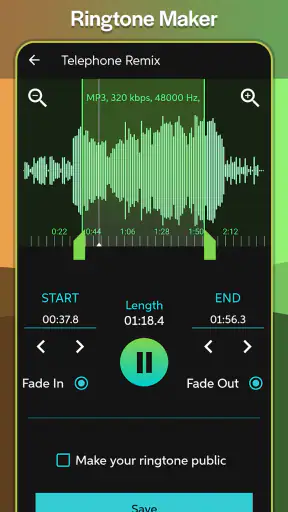
The ringtone maker is the app’s most useful feature for people who want something personal without searching endlessly. I see it as a bridge between a ready-made catalog and a full editing workstation. If you already have an audio file that contains the right moment, making a ringtone from that source can be more satisfying than settling for a generic sound.
A sensible workflow is to choose a section that makes sense immediately, listen for its loudest and quietest parts, and keep the finished result focused. A ringtone does not need the whole song or recording. In fact, a shorter, recognizable excerpt is usually easier to live with. I would also keep an original copy of any source audio separate from the ringtone version, so later edits do not force me to start over.
One trade-off is that creating a tone requires more judgment than downloading one. You have to decide where the useful part begins and ends, and you may need to try again if the result sounds too soft or starts too late. That is not a flaw in the app so much as the cost of personalization. The maker is worthwhile when you care about the exact sound; if you simply need a ringtone in a few seconds, browsing the ready-made choices is faster.
Make the first wallpaper change deliberately
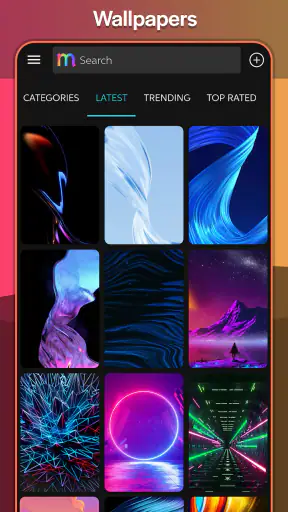
Once the ringtone is working, I move to wallpapers. Before applying anything, I check how busy the image is around the areas where my icons normally sit. A striking picture can become a poor home-screen background if its brightest details sit directly behind text. I prefer to preview it with the phone’s actual icon arrangement in mind rather than judging the image as if it were a standalone photograph.
Static wallpapers are the safer starting point. They are easy to understand, do not add movement to the screen, and make it simple to compare the new appearance with the previous one. Live wallpapers are more expressive, but I use them selectively. Motion can look excellent on a lock screen or a clean home screen, yet it may feel distracting when I am trying to read widgets or find an app quickly.
A useful two-step experiment is to apply a static image first and live wallpaper later, keeping the rest of the phone unchanged. That way, you can tell whether you actually prefer the movement or merely enjoy the novelty of trying it. If the live option makes the phone feel less calm, returning to a static background is not a failure; it is a better match for your routine.
Common confusion after applying an item
The most likely point of confusion is assuming that choosing something inside the app automatically changes every related Android sound or screen. I treat each choice as targeted. A ringtone selection should be checked in the phone’s call-sound settings, while a wallpaper selection should be checked on the correct screen. Notifications and alarms may remain unchanged unless you deliberately configure them through the appropriate system controls.
Another easy mistake is confusing a preview with a saved or applied result. I always look for a clear confirmation inside the app, then verify the phone outside it. If the old sound continues, I check whether the phone is in a mode that suppresses ringing or whether a separate contact-specific tone is taking priority. The important lesson is not to keep tapping the same item repeatedly without testing the surrounding Android settings.
Live wallpapers can also create uncertainty because the visual result may be more noticeable on one screen than another. If you want a calm, readable setup, use a static image while learning the app. Then experiment with movement only after you are comfortable changing and restoring the basic wallpaper. This order makes troubleshooting much easier.
An everyday scenario where the app earns its place
Imagine setting up a phone for a family member who often misses calls because the default ringtone sounds like every other alert. I would use the app to find a tone with a clear opening, apply it, and make a test call from another device. After that, I might choose a simple wallpaper with enough empty space for large icons. The entire setup has a practical purpose: the phone becomes easier to recognize and easier to read, rather than merely more decorative.
For my own phone, I use a similar approach when I want a seasonal change without rebuilding the entire home screen. I change one sound and one background, then live with them for a day. If the ringtone remains comfortable in different environments and the wallpaper does not interfere with icons, the change has succeeded. If either one becomes irritating, it is easy to reverse without having invested in a complicated theme.
Where it fits compared with other personalization choices
The usual alternative is to rely on Android’s built-in sounds and wallpaper picker. Those tools are often quicker for applying a file you already have, and they are the better choice when you want minimal browsing or tighter system integration. I would choose the built-in settings when I already know the exact sound and only need to assign it.
This app becomes more useful when discovery is the problem. Instead of searching through unrelated websites or switching between a ringtone app and a wallpaper app, I can explore several kinds of customization in one place. That convenience is its main advantage over a basic file picker. The compromise is that a large catalog can encourage aimless scrolling, and not every option will suit a particular phone, mood, or listening environment.
Compared with a dedicated audio editor, the ringtone maker is more approachable for a quick phone result but less suitable for complex work. Someone who wants precise multi-track editing, detailed effects, or serious sound design should use a specialist tool. Compared with a dedicated wallpaper platform, this app is attractive for users who want sound and visuals together, while a wallpaper-focused alternative may offer a deeper visual workflow for people who care mainly about artwork.
I also would not recommend it as the first choice for someone who dislikes changing phone settings or who wants every customization decision automated. The app rewards a little hands-on checking. It is a better match for a person who enjoys choosing a sound, previewing it, and confirming the result than for someone seeking a one-tap transformation.
Small habits that make the experience better
Choose a ringtone for recognition first and entertainment second. A clear opening is more useful than an elaborate clip that takes too long to become audible.
Test a selected sound from another phone before trusting it for important calls. This exposes low volume, a quiet beginning, or an unexpected system setting.
Preview wallpapers with your real icon layout in mind. Empty space and contrast matter more on a home screen than they do in the catalog.
Try static wallpaper before live wallpaper. It gives you a stable baseline and makes it easier to decide whether movement genuinely improves the phone.
Use the ringtone maker for a focused excerpt rather than treating it like a full audio-editing project. The shorter the useful idea, the easier the result is to recognize.
Who should install it, and who should skip it
I think it is a good fit for Android users who want more choice than the default sound and wallpaper settings provide, especially people who want ringtones and backgrounds in the same personalization app. It also suits anyone who has a particular audio moment in mind and wants to turn it into a more personal call sound without moving immediately to a specialist editor.
I would skip it if your phone already has everything you need, if you strongly prefer a completely uncluttered system-only setup, or if your main goal is advanced graphic or audio creation. It is also not the right answer for someone who wants a carefully curated professional design environment. Its strength is accessible experimentation, not deep production control.
Mobiles24 has kept the basic proposition clear: browse, personalize, and make a ringtone when the ready-made choices are not enough. The app has been available since December 25, 2012, and its current version remains compatible with Android 5.0 and newer. That combination of longevity and broad compatibility makes it an easy app to try on an older spare phone as well as a current device.
My recommendation after using the full workflow
I recommend starting with one ringtone and one static wallpaper, then verifying both through Android’s own settings and a real test call. That path gets you to a meaningful result quickly and avoids the most common confusion. Afterward, explore the ringtone maker if you want a sound that feels more personal, and test live wallpapers only when you are comfortable returning to a simpler background.
Ringtones & Wallpapers - Mob24 is not a replacement for every specialized personalization tool, but it is a convenient first stop for Android users who want variety without assembling several separate apps. I like it most when I use it intentionally: one clear sound, one readable background, and a quick check that the phone behaves as expected. For that everyday kind of customization, it is a free and approachable choice with enough flexibility to remain useful after the first setup.


